
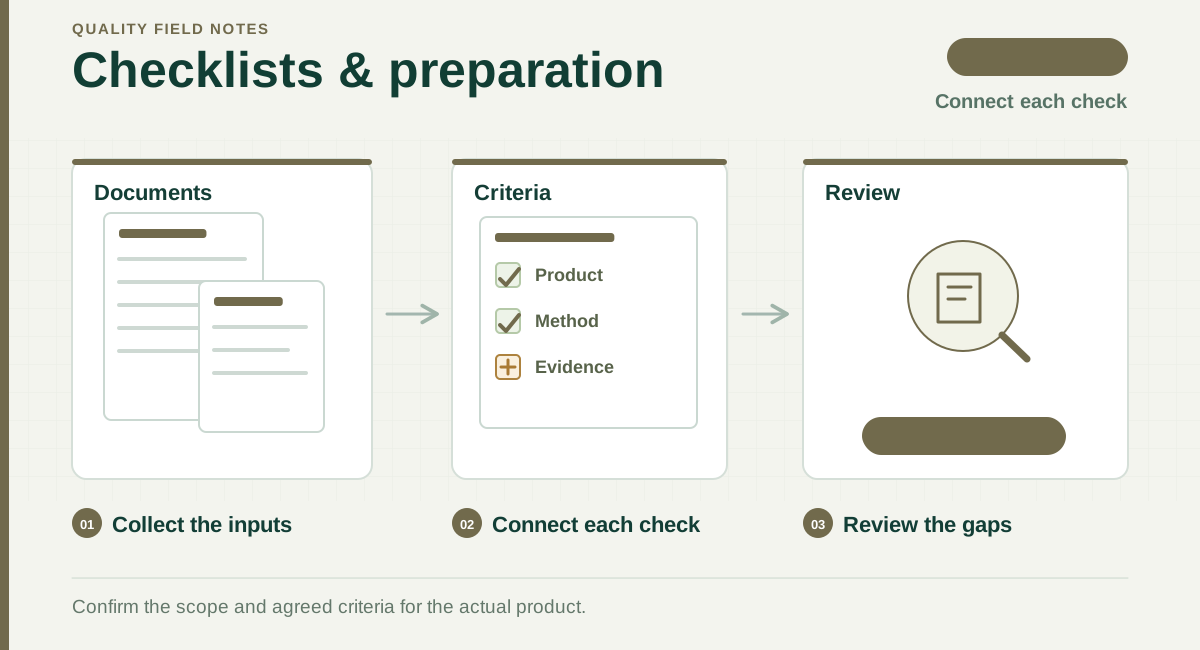
Read the diagram
- Collect the inputs
Prepare the order, product and reference documents.
- Connect each check
Link each relevant check to a method and evidence record.
- Review the gaps
Resolve missing inputs before relying on the result.
A checklist you can use now
Copy the rows below into your own instruction and complete the requirement, reference and result columns. Confirm the applicable product requirements and tests when adapting the checklist.
| Check | Prepare before inspection | Record in the report |
|---|---|---|
| Identity | Models, PO and product description. | Models found and any mismatch. |
| Quantity | Ordered and available quantities by model. | Actual availability and limits of checking. |
| Appearance | Defect examples and agreed classification. | Observed defects, counts and photographs. |
| Dimensions | Drawing, tolerance, unit and measurement method. | Actual readings and result against the requirement. |
| Functions | Test method and expected behaviour. | Conditions, actual behaviour and evidence. |
| Packaging | Approved packaging, assortment and carton details. | Packaging checked, counts and differences. |
| Labels / barcodes | Approved artwork and reference codes. | Actual markings and scan results where agreed. |
| Conclusion | Sampling plan and any special release conditions. | Result, limitations and unresolved requirements. |
Adapt the checklist to your product
- Garments: add the size chart, measurement points, fabric and colour reference.
- Electronics: add ratings, accessories and agreed functional checks. Arrange laboratory safety or compliance tests separately where required.
- Toys: state intended age, parts and warnings; confirm the applicable safety-testing scope.
- Furniture: add assembly instructions, fittings, key dimensions and agreed load or stability checks.
Use one reference file for several checks
If a PDF includes packaging, labels and barcode data, identify the relevant pages for each requirement. Keep the same source file attached and make the page references clear. A file being uploaded does not mean every requirement inside it has been identified or confirmed.
Keep unknown requirements visible
If a tolerance, reference sample or test condition is missing, mark the requirement as pending and ask for confirmation. Do not invent a limit from a generic internet checklist. Make the agreed requirement traceable to a specification, approved sample or client confirmation.
Connect the checklist to a sampling plan
Choose the inspection level and sampling conditions separately from the product checks. The calculator helps explain the selected normal single-sampling plan; it does not decide which safety or performance tests your product needs.
Practical preparation guidance; confirm the requirements for your product and order.
Articles support understanding of quality risk, standards and service routes. Formal requirements depend on the product, target market and technical project confirmation.