
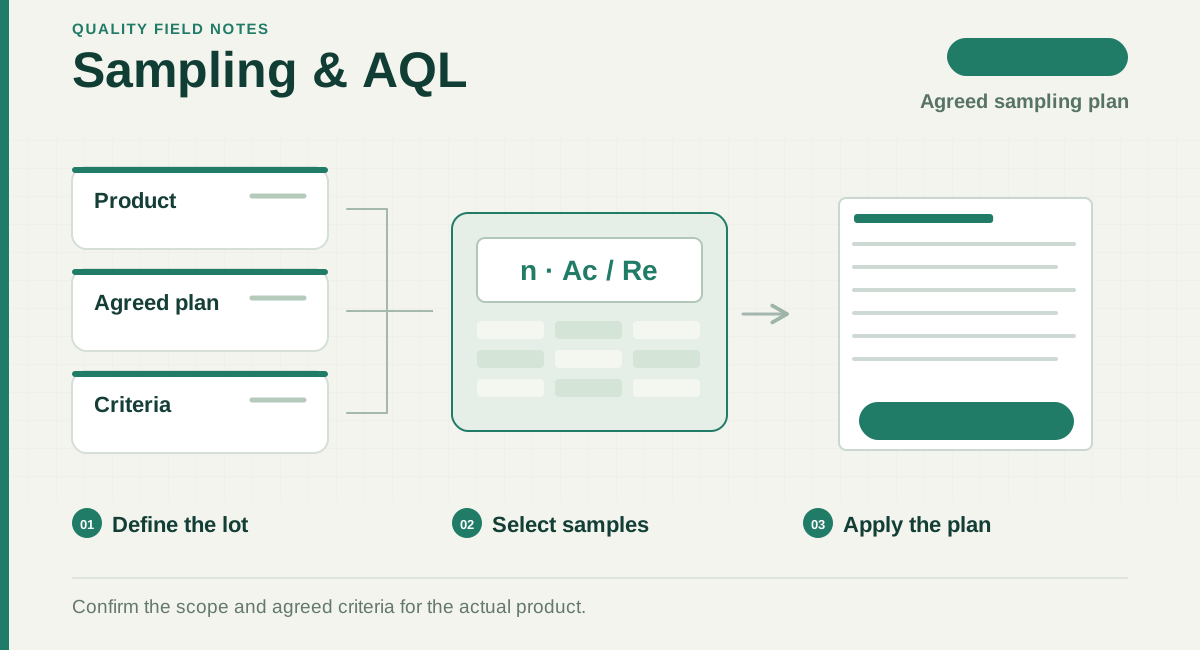
Read the diagram
- Define the lot
Confirm the lot, inspection level and defect classes.
- Select samples
Select physical units according to the agreed sampling plan.
- Apply the plan
Compare observed counts with the plan; assess other requirements separately.
Start with the inspection plan
Before calculating, confirm the lot to be inspected, inspection level, AQL for each defect class and applicable standard edition. Keep different models or lots separate unless their grouping has been agreed. The TTS online tool currently covers normal single sampling; it is not a selector for every sampling scheme.
How to use the calculator
- Enter the available lot quantity, not the ordered quantity if the two differ.
- Select the inspection level agreed with the client.
- Choose the AQL for the defect class and calculate. Repeat for other classes where needed.
- Record the input, code letter, actual sample size and Ac/Re together in the instruction. Check the result against the agreed standard before use.
Read the result correctly
A single sampling plan links a sample size with an acceptance number. Random selection is part of the inspection process; a calculator does not select the physical samples.
Source: NIST — Choosing a single sampling plan
| Result | What to check |
|---|---|
| Code letter | The link between lot size, inspection level and the sampling table. |
| Sample size | The number to inspect for the selected plan; do not infer it from the code letter alone. |
| Ac / Re | Acceptance and rejection thresholds for the counted defect class under that plan. |
| AQL | The agreed parameter used to select a plan, not a promise that this shipment contains that percentage of defects. |
A simple interpretation example
Illustration only, not an ISO table lookup: if an agreed plan says sample 80 units, Ac 2 and Re 3, a count of 2 is within that acceptance threshold; a count of 3 reaches rejection. Quantity, functional tests, safety concerns or other requirements still need their own checks. An acceptable workmanship count alone does not authorise shipment.
Common mistakes to avoid
- Do not enter “AQL 0” as a standard table value. A zero-acceptance requirement needs its own agreed plan and scope.
- Do not multiply the lot quantity by the AQL to invent a permitted defect count.
- Do not copy a previous order’s sample size when quantity, model mix or inspection level changed.
- Do not describe a normal single-sampling output as a tightened, reduced or other plan.
Check the standard edition
ISO now lists ISO 2859-1:2026 as its third edition. Confirm the contract’s edition and applicable scheme before field use; a link to the new edition does not mean the online calculator has been validated against it.
Source: ISO — ISO 2859-1:2026
Official references
Practical preparation guidance; confirm the requirements for your product and order.
Articles support understanding of quality risk, standards and service routes. Formal requirements depend on the product, target market and technical project confirmation.